

How to Add a Watermark to a PDF: Text, Logo and Opacity
Mark a PDF as DRAFT or add a logo with PDFroo: opacity, angle, tiling, page ranges, what a watermark can and cannot do, and how to check the result.
Page numbers are only useful if they match what the reader expects. A report with a cover usually starts counting on the page after the cover; a chapter sent on its own may need to start at 5; a merged packet with a sideways table page needs the number at the bottom of the page as it is viewed. This guide works through those cases with the Add Page Numbers tool and shows what we saw when we tested it on a 12-page sample report.
The tool applies one style to every page, so settle these three questions first:
| Question | Setting in the tool | Example |
|---|---|---|
| What should the label look like? | Format: 1, Page 1, 1 / N or Page 1 of N | “Page 3 of 11” for a report that will be printed and stapled |
| Does the first page count? | Skip first page (cover) | Ticked: the cover gets no number and page 2 becomes “1” |
| Where does counting start? | Start at (0 or higher) | 5, when this file continues a document that ended on page 4 |
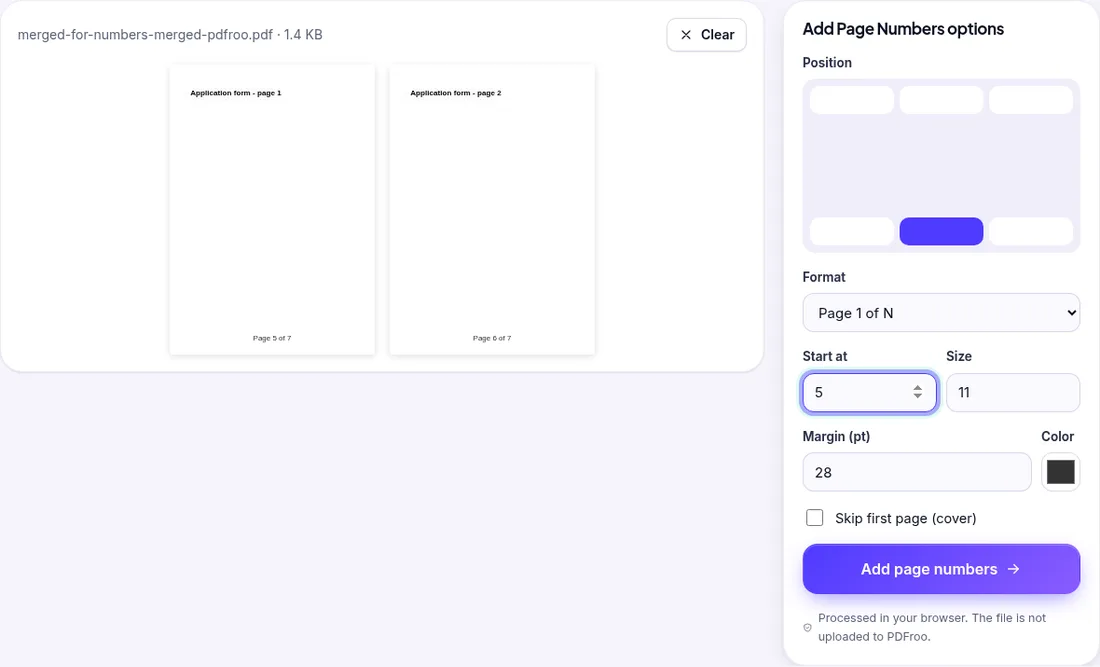
One detail that surprised us: the “N” in 1 / N and Page 1 of N is the last number printed, not the page count. If you start at 5 on a 3-page file you get “Page 5 of 7”, “Page 6 of 7”, “Page 7 of 7”. That is right for a continuing chapter, but if you want “of 3” keep Start at 1.
yourfile-numbered.pdf; your original is not changed.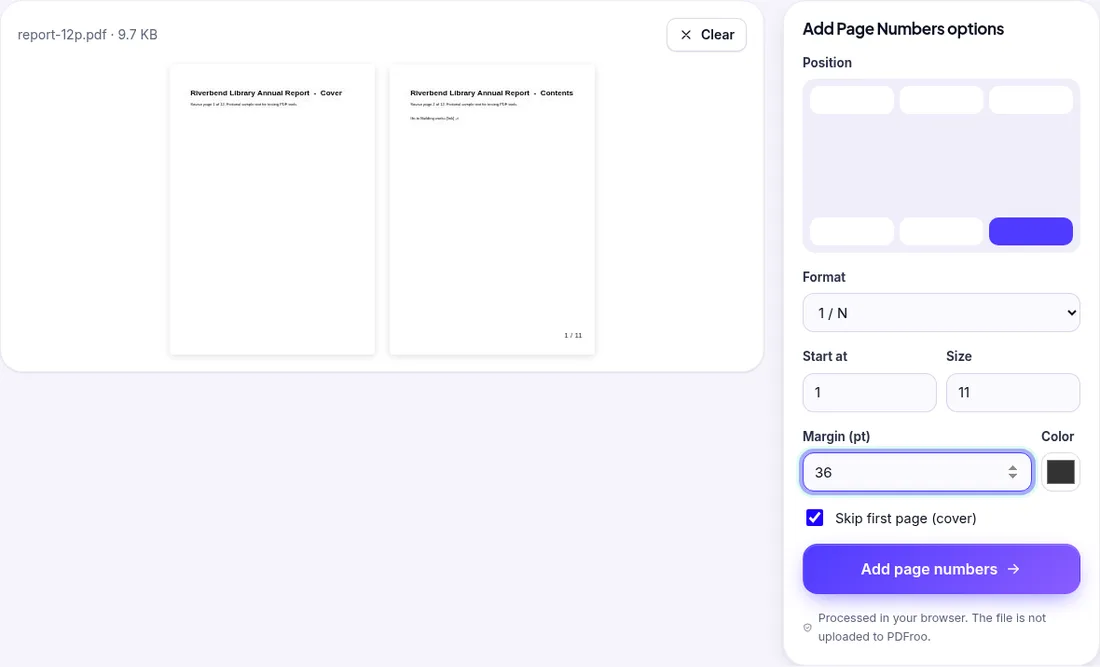
Our sample report has a landscape table on page 4, and a second test file had a page stored as portrait with a 90° rotation flag (the way some scanners save sideways pages). In both cases the number landed at the chosen position of the page as you see it on screen: on the landscape page “3 / 11” sat in the bottom-right corner of the wide page, not along the short edge. You do not need to rotate pages first, but do fix any page that is upside down before numbering, otherwise the number will be at the “bottom” of an upside-down page.
Numbering a merged file gives one continuous sequence across all the source files. Merge first, check the order, then number. If you number each part separately and merge afterwards, each part will restart at 1. For putting parts in sequence, see how to plan a merge so the order is right.
The tool does not detect or remove numbers that are already printed in the document. If your file already has footer numbers, choose a different position or you will get two labels.
| Date | 22 October 2026 |
|---|---|
| Environment | Google Chrome 155 (headless) on Linux x86_64, desktop viewport 1280×900, PDFroo build of 22 October 2026 |
| Test file 1 | Fictional 12-page A4 report (9.7 KB) with a cover, a landscape page 4, 12 bookmarks and one internal link on the Contents page |
| Settings | Bottom-right, 1 / N, size 11, margin 36 pt, Skip first page |
| Result | 12 pages, 8.0 KB. Page 1 had no label; pages 2–12 read “1 / 11” to “11 / 11”. All 12 bookmarks and the internal link still worked. The labels are real text, so they can be searched and selected. |
| Test file 2 | 3-page merged file whose last page is stored with a 90° rotation flag; Start at 5, Page 1 of N |
| Result | “Page 5 of 7”, “Page 6 of 7”, “Page 7 of 7”; the rotated page was labelled at the bottom centre of the page as displayed. |
We checked the output with pdftotext (label text and its position) and pypdf (page count, rotation, bookmarks). See our tool testing methodology for how we run these checks.
If you are adding numbers so reviewers can point to pages, a light “DRAFT” watermark is often the next step.
Mark a PDF as DRAFT or add a logo with PDFroo: opacity, angle, tiling, page ranges, what a watermark can and cannot do, and how to check the result.
When you print several documents double-sided, an odd page count makes the next one start on the back. Tested: inserting a blank page with Organize PDF.
Type on a PDF, cover areas with white boxes or highlight text. Tested: the white box hides text visually, but the covered words remain in the file.
Trim white margins or scanner edges from one page or all pages. Tested: the crop box changes what is shown, but the cut-off text is still inside the file.
Plan a page range, extract non-consecutive pages into a new PDF, and check that confidential pages, bookmarks and links did not come along. Tested example.
Put a document packet in the right order with page thumbnails: move, rotate, duplicate or delete pages, fix a merged file, and check what changes.