

Why Is My PDF Still Too Large? How to Reduce PDF Size for Email
Email limits explained (Gmail and Outlook.com: 25 MB) and what actually shrinks a PDF, with before-and-after sizes from our own tests on scanned, photo and text PDFs.
You merge twelve scanned pages and the result reads 1, 10, 11, 12, 2, 3… It’s one of the most common merge problems, and it’s easy to prevent and easy to fix. We reproduced it with twelve one-page PDFs named scan1.pdf to scan12.pdf, then fixed it two ways. Every step below was tested in Google Chrome on October 8, 2026.
Many programs sort file names character by character. Since “1” comes before “2”, scan10, scan11 and scan12 land between scan1 and scan2. The order files arrive in also depends on your operating system, your browser and how you selected them. A merge tool normally keeps the order it receives, so it reproduces whatever order the file picker sent.
When we added our twelve files in plain character order, Merge PDF listed them exactly like that:
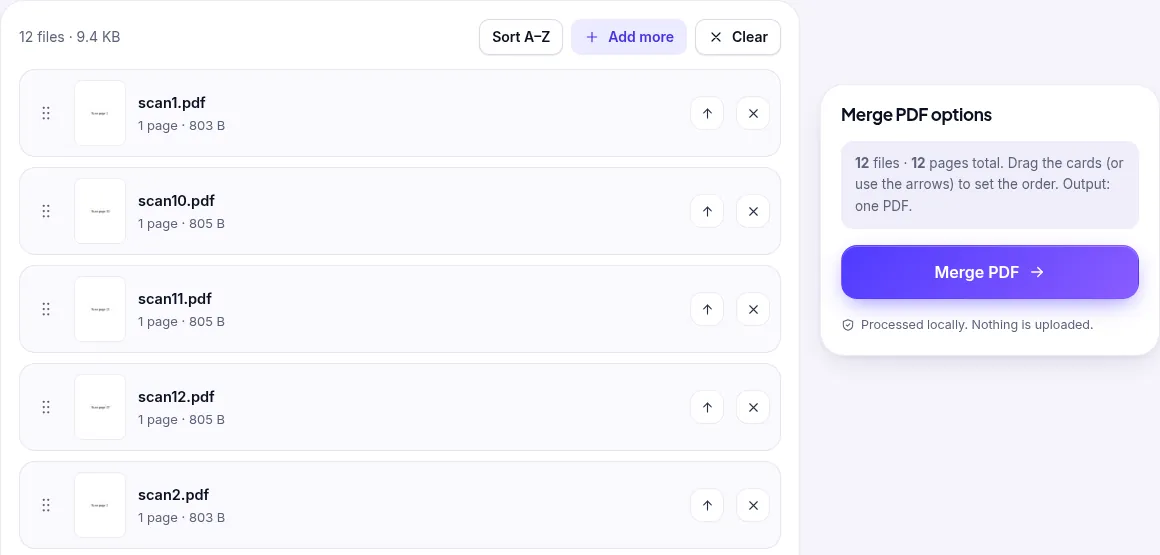
scan2 comes before scan10.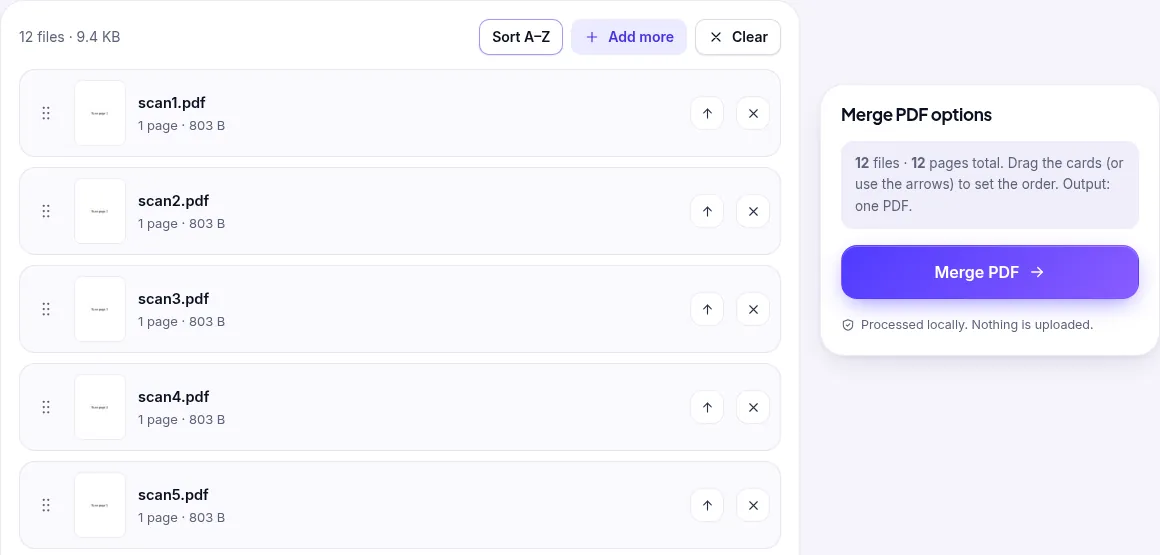
We checked the merged file by extracting the text of every page. It read “Scan page 1” through “Scan page 12”, all 12 pages in order. Merging is fast: in a separate test, three IRS PDFs (67 pages in total) merged in 0.7 seconds.
Prevent it next time: name files with leading zeros (scan01, scan02… scan12). Then every program sorts them the same way.
If you only have the merged file, you don’t need the originals. Open it in Organize PDF. Every page appears as a thumbnail with its position number underneath:
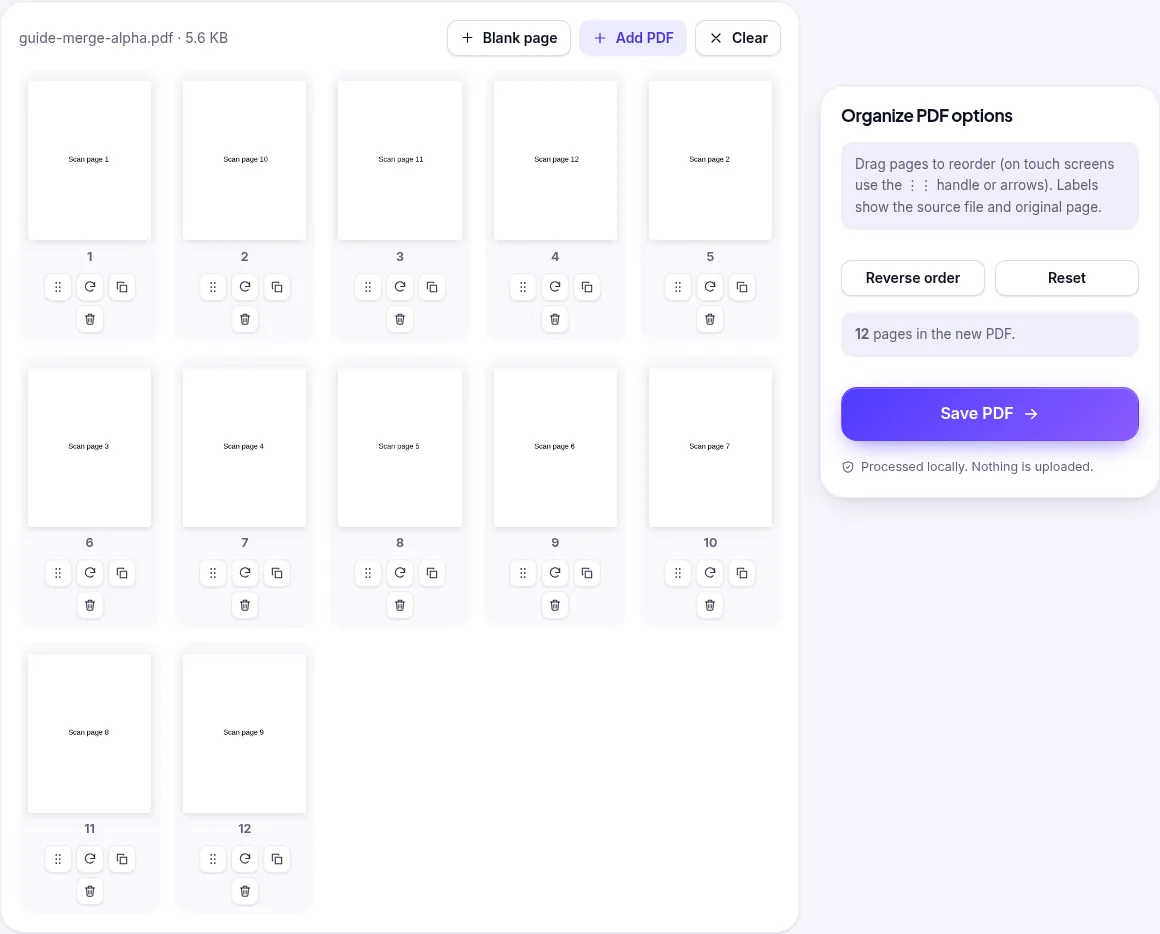
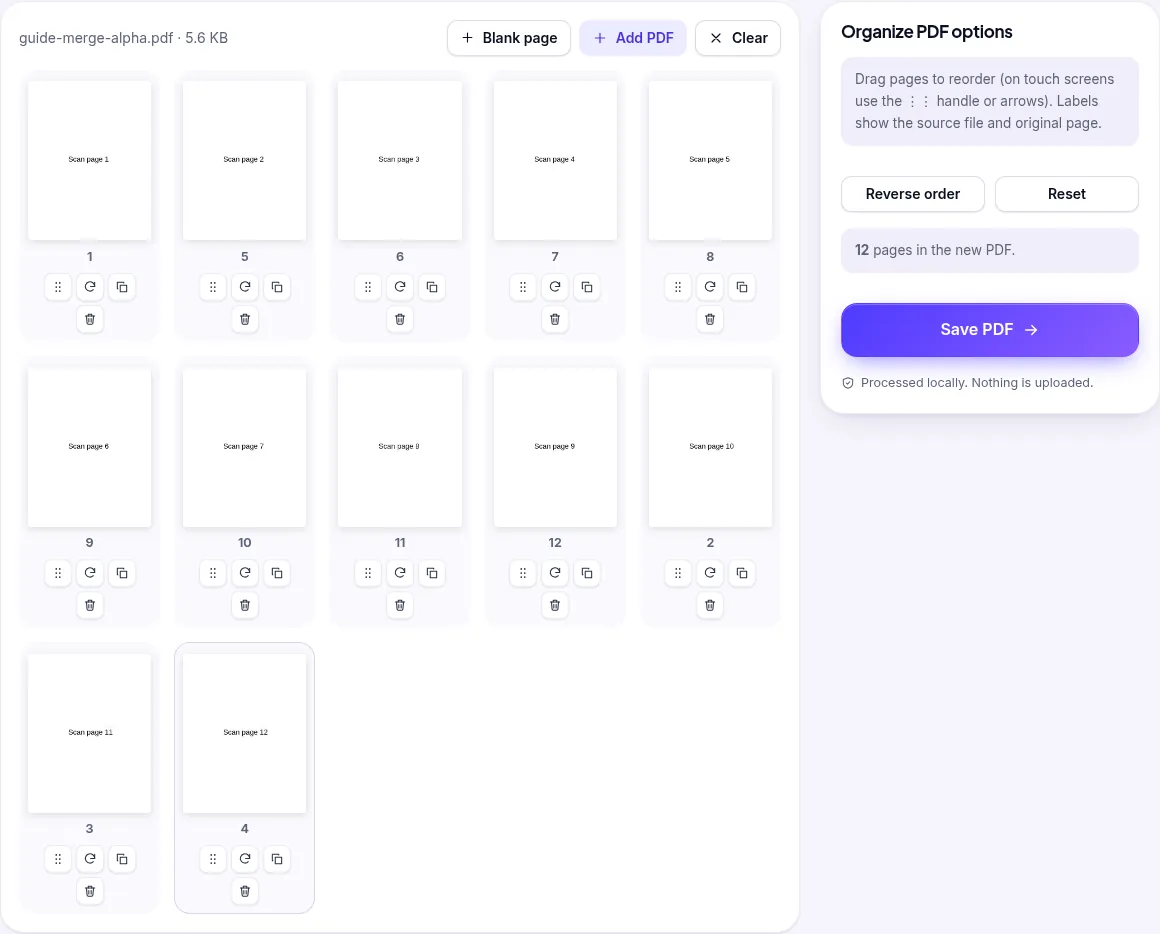
Scanned back to front? If a document feeder scanned your stack in reverse, click Reverse order in Organize PDF instead of dragging every page. Need to drop a page while you’re there? Use the trash icon under its thumbnail, or Delete PDF Pages for larger clean-ups.
We created twelve one-page PDFs (“Scan page 1” to “Scan page 12”) and used PDFroo’s production build in Google Chrome on a desktop computer, driven by an automated browser that clicks and drags like a user. We verified the outputs by extracting each page’s text with PyMuPDF. The bookmark and form-field findings come from merging IRS Form W-9, Form 1040 and Publication 15. All tests ran on October 8, 2026.
Email limits explained (Gmail and Outlook.com: 25 MB) and what actually shrinks a PDF, with before-and-after sizes from our own tests on scanned, photo and text PDFs.
PDFs carry hidden author names, software and dates. See real examples, how to check any PDF, how to remove metadata, and what removal doesn’t cover.