

Sign a PDF With a Photo of Your Signature (No White Box)
Turn a phone photo of your handwritten signature into a clean, see-through signature on a PDF. We tested six photos: what worked and what left a box.
Job portals, exam forms and government sites often say things like “JPG, max 200 KB” or “600 × 450 pixels”. Resize & Compress Image handles both kinds of rule.
| The site says | Use |
|---|---|
| “Max 200 KB” | Max file size (KB, optional) = 190 (leave room) |
| “Width 600 px” | Pixels mode, Width 600; height follows to keep the shape |
| “Half size” | By % mode |
| Only a format | Keep size and choose the Output format |
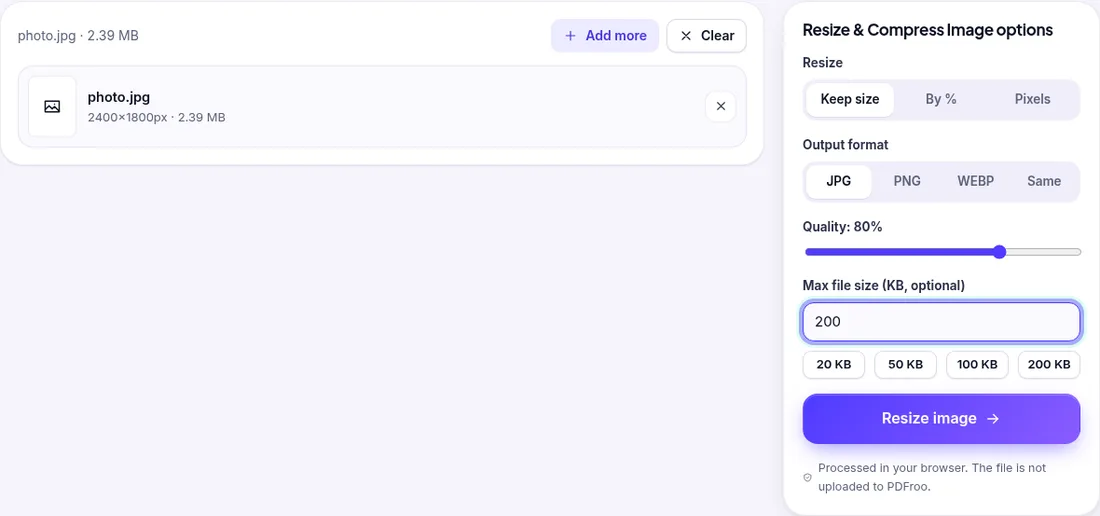
The result was 186 KB at 1734 × 1301 px: to reach the limit the tool also reduced the pixel size, not only the JPEG quality.
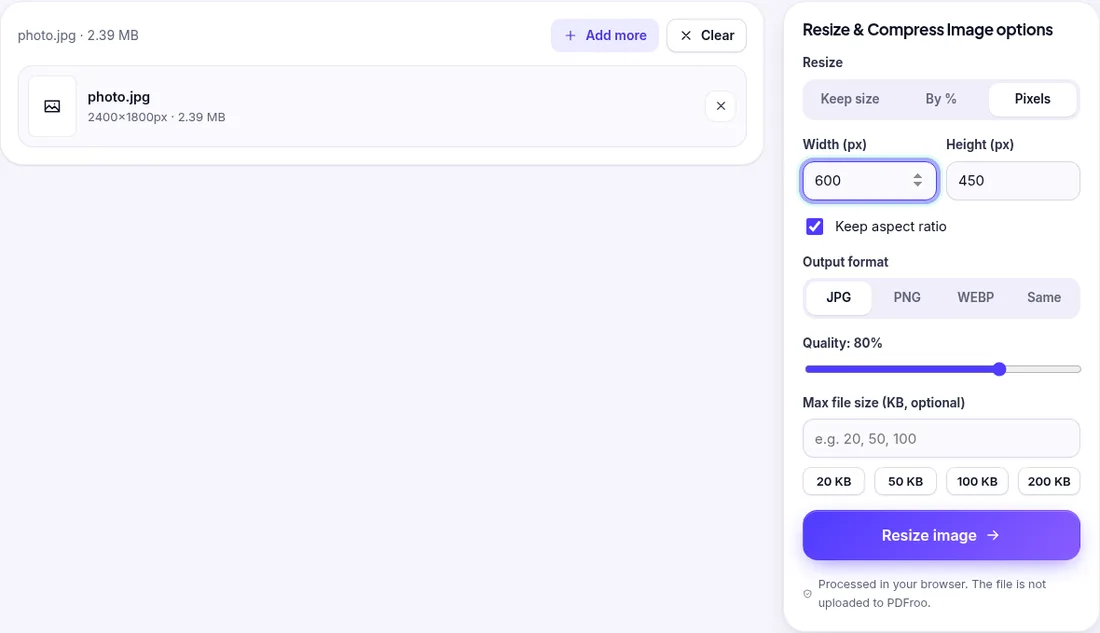
The output was exactly 600 × 450 px and 19 KB. If a site demands both a width and a height with a different shape than your photo, crop the photo first or the picture will be stretched.
We made a 4032 × 3024 px, 1.26 MB test photo, the size a typical phone camera produces, with camera make, model, date and GPS location written into its EXIF data. Then we set only Max file size and left everything else at the defaults (Keep size, JPG, quality 80%).
| Limit typed | Output | Pixel size | Time |
|---|---|---|---|
| 200 | 196,970 bytes (192 KB) | 1789 × 1341 | 1.5 s |
| 50 | 42,026 bytes (41 KB) | 574 × 430 | 1.5 s |
| 20 | 20,329 bytes (20 KB) | 353 × 264 | 1.6 s |
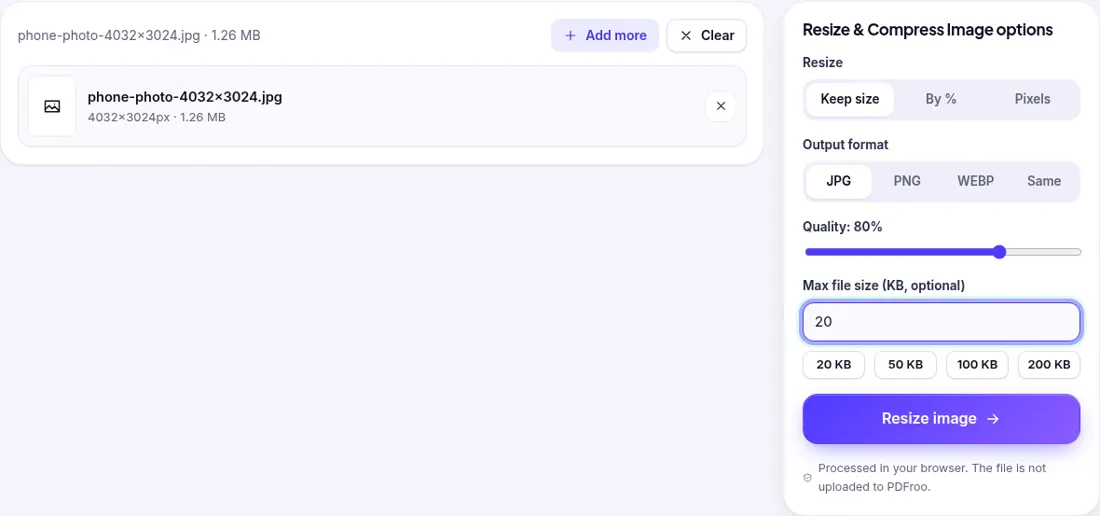
Two things to take from this:
Many forms say something like “1200 px wide, under 100 KB”. We chose Pixels, typed width 1200 (height filled in as 900) and typed 100 in Max file size. The result was exactly 1200 × 900 px and 101,650 bytes (99 KB), produced in 0.3 s. The tool kept the pixel size you asked for and lowered only the JPEG quality, because that alone was enough to meet the limit.
We tested a 1920 × 1080 PNG screenshot (65 KB) with Output format set to Same:
With Keep aspect ratio off and 600 × 600 typed for the 4:3 phone photo, the output was 600 × 600 px but visibly squashed sideways. If a portal wants a square image, crop the photo square first, then resize it.
We added three images (the phone photo, a 1240 × 400 signature scan and a 2400 × 1800 photo) with a 50 KB limit. They came back in one ZIP: the phone photo at 574 × 430 (41 KB), the other photo at 1065 × 799 (41 KB), and the signature scan at its full 1240 × 400 (15 KB), because it already fitted after re-encoding. Each image is handled on its own, so a small image is not shrunk just because a big one needed it.
None of the outputs above carried any EXIF data. Our source photo had GPS coordinates; after resizing, Pillow found no EXIF tags at all. This is useful when you upload a phone photo to a public form, because the location where the photo was taken is not passed on.
photo-1200x900.jpg.Related: preparing a PDF for an online application, compressing a PDF to 100 or 200 KB and using a photo of your signature.
A JPEG photo holds only so much detail per kilobyte. In our test, 20 KB allowed about 353 × 264 px. The tool lowers quality first and only then reduces the pixel size.
Some sites count 1 KB as 1000 bytes. Type a limit 5–10% below the stated maximum and try again.
Not when the limit forces a smaller file: the tool switches to JPG. Without a limit, PNG is kept but may come out larger than the original.
In our tests, yes. The output had no EXIF data, so GPS, camera model and date were gone.
No. Resizing runs in your browser; we recorded the network requests and none carried the image.
| Dates | 22 October 2026 (tests 1–2); 1 November 2026 (tests 3–7) |
|---|---|
| Environment | Google Chrome 156 (headless) on Linux x86_64, desktop viewport 1280×900, live pdfroo.com |
| Test files | photo.jpg 2400 × 1800; fictional phone-style photo 4032 × 3024, 1.26 MB, with EXIF and GPS; 1920 × 1080 PNG screenshot, 65 KB; 1240 × 400 signature scan |
| Runs | Max size 200/50/20 KB; width 1200 + 100 KB; PNG Same with and without 50 KB; 600 × 600 without aspect ratio; 3-image batch at 50 KB |
| Results | As in the tables above; no EXIF or GPS in any output |
Every output was checked with pypdf, pdfinfo, pdftotext, pdfimages or Pillow, and every network request the page made during processing was recorded. No request carried the file. See our tool testing methodology.
Turn a phone photo of your handwritten signature into a clean, see-through signature on a PDF. We tested six photos: what worked and what left a box.
Prepare a PDF for an online application by checking page order, readability, privacy, file size, and upload requirements before final submission.
Export one page or a range as JPG images at 72, 150, 220 or 300 DPI. Tested: what each resolution produced, when you get a ZIP, and how big the files are.
Get a PDF under a 100 KB or 200 KB upload limit. We squeezed a 6.17 MB scan to 184 KB, 87 KB and 42 KB and kept the text; here is how, and what to do if it won’t fit.
Make a print-ready A4 sheet of passport photos (35×45 mm, 2×2 in and more). Tested: 25 copies at about 300 DPI, plus the printer setting that keeps the size right.
Find pages that repeat after combining PDFs, delete the extra copies, and check the final page count. Tested with overlapping files and a re-scan.