

How to Compress a PDF to 100 KB or 200 KB (Tested on Real Scans)
What it takes to get a PDF under 100 KB or 200 KB, with measured results for scans, photo PDFs and forms – and what to do when a target can’t be reached.
You attach a PDF, hit send, and get “file too large” – or you compress it once and it’s still too big. The fix depends on what’s inside the PDF. Below, we explain the limits you’re up against, how to tell what’s making your file heavy, and which fixes actually work. Every size in this guide comes from files we ran through PDFroo’s Compress PDF tool in Google Chrome on October 8, 2026, using public IRS and NASA documents.
| Service | Limit | Source |
|---|---|---|
| Gmail (personal) | 25 MB of attachments; larger files are swapped for a Google Drive link | Gmail Help |
| Outlook.com | 25 MB per message, including text | Microsoft Support |
| Work or school email | Set by your IT admin. Microsoft documents a 10 MB default for business Exchange accounts in classic Outlook. | Microsoft Support |
Two things catch people out. First, the recipient’s server has a limit too, and it may be smaller than yours. Second, attachments are encoded for email transport, which Microsoft says makes a message about 33% larger (Exchange documentation). A 20 MB PDF can travel as a 26–27 MB message. If you don’t know the recipient’s limit, aim for 10 MB or less.
Open the PDF and try to select a line of text. If you can, it has a text layer. If the whole page selects like a picture, it’s a scan. Then match it to the table. These are our measured results with PDFroo’s three presets:
| What’s inside | Our test file | Original | Light | Balanced | Strong |
|---|---|---|---|---|---|
| Full-resolution photos | 4-page report with NASA photos | 10.32 MB | 10.31 MB | 2.97 MB | 1.18 MB |
| Scanned pages (300 DPI, no text layer) | 8 scanned pages | 13.49 MB | 13.49 MB | 6.31 MB | 3.15 MB |
| Long text document | IRS Publication 15, 59 pages | 1.63 MB | 1.62 MB | 1.06 MB | 878 KB |
| Fillable form | IRS Form W-9, 6 pages | 138 KB | 121 KB | 121 KB | 121 KB |
The pattern is clear. Images are where the weight is. Light is lossless. It cleans up the file structure but never touches images, which is why it saved almost nothing on the photo and scan files. Balanced and Strong re-encode images at a lower resolution. Text, form fields and bookmarks were kept in every preset we tested. A text-only form is already compact, so no preset can shrink it much.
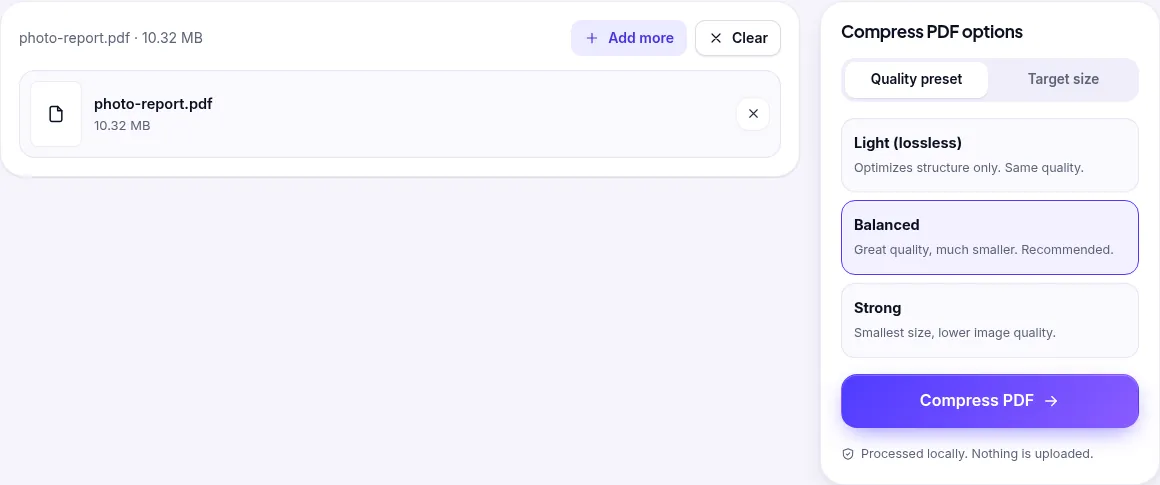
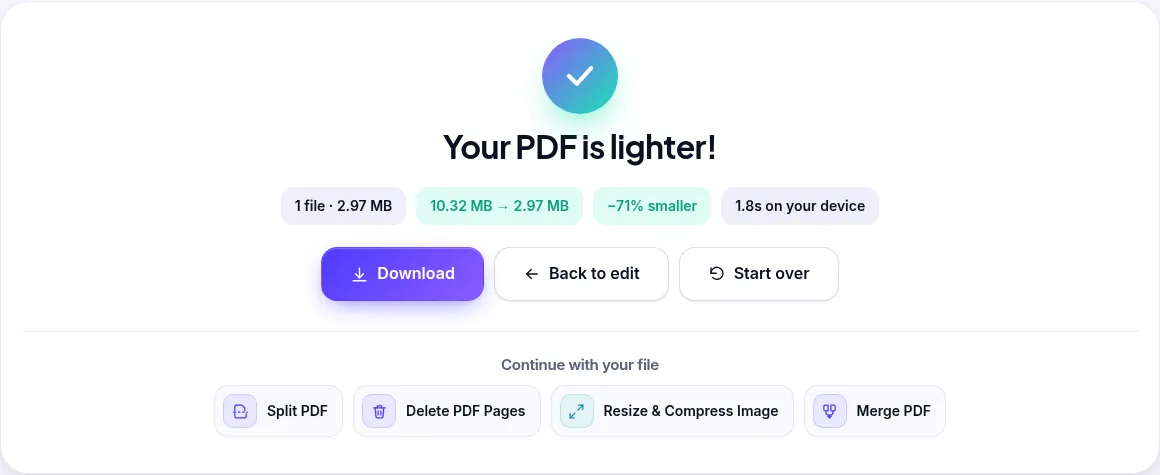
If you need a specific size, use Target size and type it in, for example 9000 KB for a 9 MB limit. PDFroo tries progressively stronger settings until the file fits. In our tests, the photo report hit targets of 1 MB, 500 KB and 200 KB (952 KB, 476 KB and 190 KB) with its text still selectable.
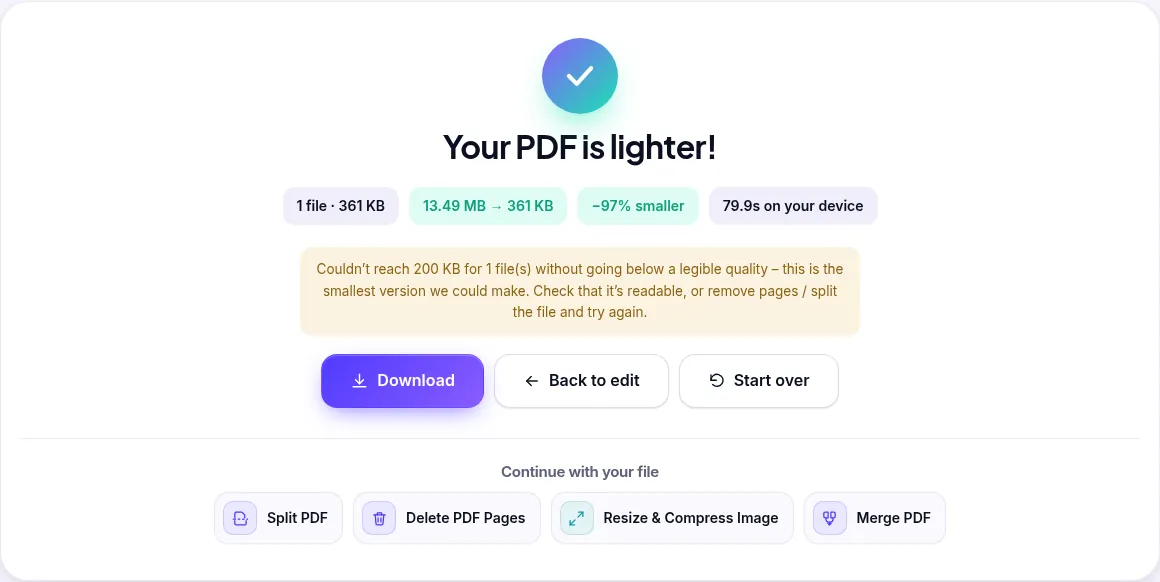
Scanned pages are pure images, so size grows with every page. Our 8-page, 300 DPI scan was 13.49 MB. Strong brought it to 3.15 MB, with images at about 180 pixels per inch. A 1 MB target worked (958 KB, about 98 ppi) and so did 500 KB (451 KB, 72 ppi, still readable). We could not reach 200 KB at a readable quality. PDFroo stopped at 361 KB and said so instead of producing an unreadable file:
Scans with fewer pages are much easier. A single scanned page (1.33 MB) reached 100 KB (96 KB, about 109 ppi), and two pages (3.15 MB) reached 200 KB (194 KB). For a long scan, your options are fewer pages, splitting, or rescanning.
Light is lossless, so it can’t shrink images. Switch to Balanced or Strong.
Fonts and text compress well already. Publication 15 only went from 1.63 MB to 878 KB even on Strong. If a text PDF is still too big for email, the answer is fewer pages, not more compression.
We deleted 58 of the 59 pages in Publication 15 with Delete PDF Pages. The single remaining page, the cover, was still 998 KB. Most of that (862 KB) was one large image on the cover. Removing pages helps most when the pages you remove are the ones with photos or scans.
jane-doe-lease-signed.pdf?Need a much smaller file for an upload portal instead? See how to compress a PDF to 100 KB or 200 KB.
All tests ran on October 8, 2026, in Google Chrome on a desktop computer, using PDFroo’s production code. We drove the real tool interface with an automated browser and checked every output file with PyMuPDF and Poppler. Test files: IRS Publication 15 (2026), IRS Form W-9, a 4-page report built from public-domain NASA Apollo 11 photos, and an 8-page “scan” made by rendering pages of Publication 15 at 300 DPI. Your results will vary with your file. Image-heavy files shrink the most.
What it takes to get a PDF under 100 KB or 200 KB, with measured results for scans, photo PDFs and forms – and what to do when a target can’t be reached.
Why merged PDFs come out as page 1, 10, 11, 2…, how to sort files correctly before merging, and how to fix the page order in an already merged PDF – tested step by step.